
Plugins
Connectors that agents can actually be trusted with
A plugin is more than an API wrapper. It declares what it can do, how it authenticates and which actions need a human — so giving an agent access is a bounded decision.
Inside the product
Every connector, with its scopes on the card
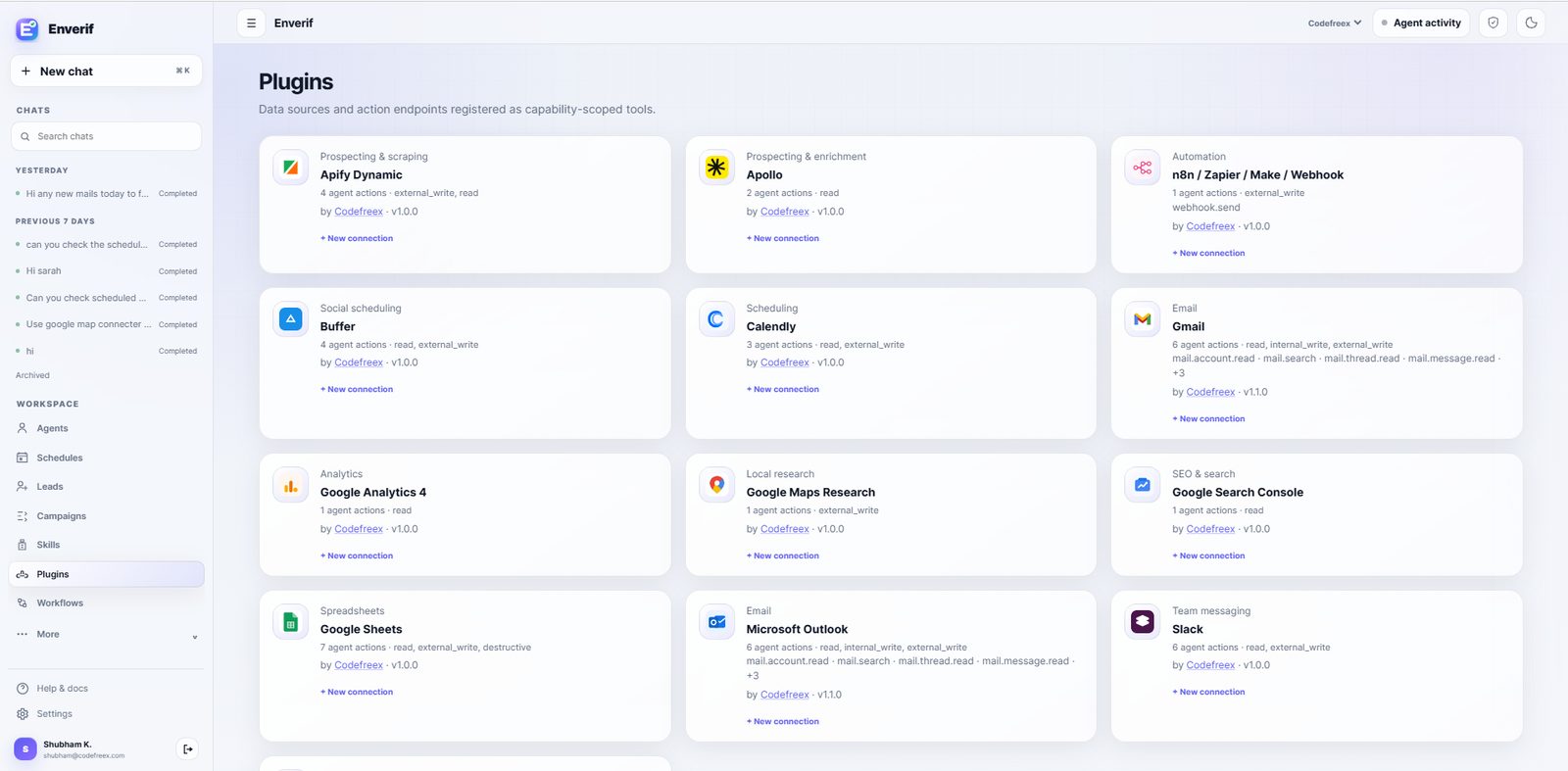
This is the plugins directory in Enverif. Each card shows the publisher, the version, the number of agent actions and the exact capability scopes the connector asks for — before you create a connection.
- Scoped connections. One plugin can hold several connections — different mailboxes, workspaces or accounts — each with its own credential.
- Versioned packages. Plugins are published with a semantic version, so an agent's tool surface only changes when you upgrade it.
- Named agent actions. Gmail exposes actions such as mail.account.read, mail.search, mail.thread.read and mail.message.read — an agent cannot invent a call the plugin never declared.
Capability scopes
Six scopes, printed on every plugin
Scopes are the contract between a connector and an agent. They are declared in the manifest, shown in the UI and enforced at call time.
readFetch data only. Inbox search, sheet reads, analytics queries and lead lookups all sit here.
internal_writeChange data inside your Enverif workspace — leads, notes, campaign records — without touching the outside world.
external_writeAnything that leaves your workspace: sending mail, posting to Slack, publishing a scheduled post. Gated by approval unless you explicitly enable autonomous sending.
networkOutbound HTTP to a declared endpoint, used by webhook and scraping plugins.
secretsAccess to a stored credential for the connection the plugin was authorised against — never another connection's.
destructiveDeletes and overwrites. Always visible on the plugin card before you connect it.
Anatomy
What ships inside a plugin
Manifest
Declares the plugin's name, publisher, category and the capabilities it exposes to agents.
Authentication
OAuth or API key, authorised per connection with the narrowest scopes the provider supports.
Capabilities
Explicit, named operations. An agent can only call what the plugin declares.
Approval policy
Write and send operations are gated by default, so a human sees the payload first.
Run logging
Every call is recorded with its inputs, outputs and the agent that made it.
Built in
13 plugins ship with Enverif
Catalog 1.0.0, generated 2026-08-08 from ShubhamTuts/enverif.


AI models
Plugins handle the tools. Provider adapters handle the thinking.
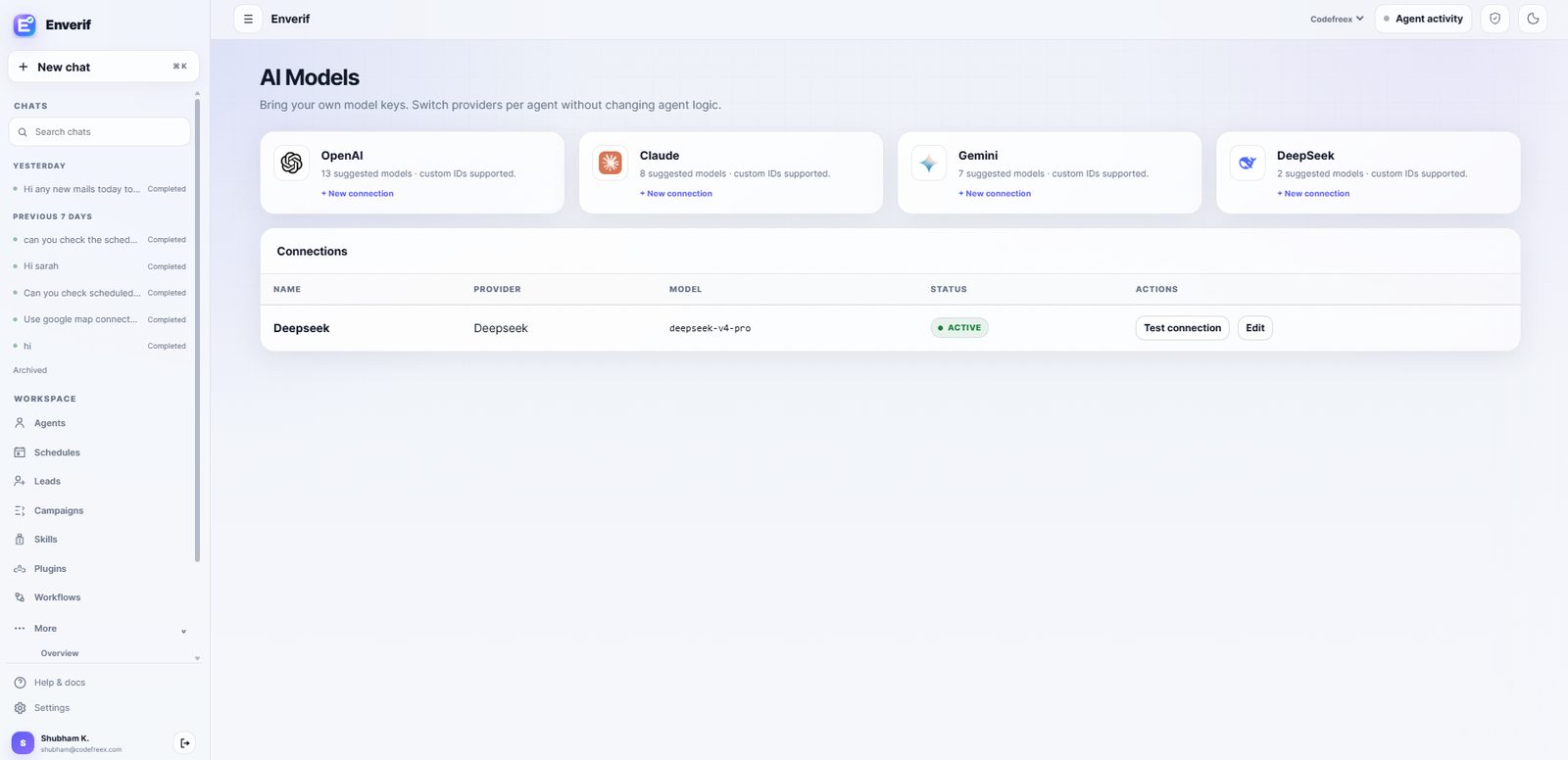
Model access is its own connection type. Add a provider key once, then choose the model per agent — the plugin surface stays exactly the same.
OpenAI
Provider adapter in Enverif source. Bring your own API key or use managed credits.
Provider docsAnthropic
Provider adapter in Enverif source. Bring your own API key or use managed credits.
Provider docsGoogle Gemini
Provider adapter in Enverif source. Bring your own API key or use managed credits.
Provider docsDeepSeek
Provider adapter in Enverif source. Bring your own API key or use managed credits.
Provider docs
Custom model IDs are supported on every adapter, and a connection can be tested before an agent is pointed at it.
Connect the tools your team already pays for.
Every built-in plugin ships with scoped credentials, declared actions and approval gates on anything that leaves your workspace.